
Download Decisional AI – Secure AI‑Powered Financial Memo Generator for Analysts
Overview
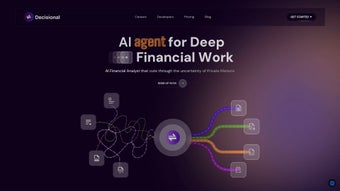
Decisional AI is a cloud‑native, AI‑driven web application purpose‑built for financial analysts, portfolio managers, and due‑diligence teams who need to transform massive, fragmented data sets into concise, insight‑rich memos. In today’s hyper‑competitive finance environment, professionals spend a disproportionate amount of time juggling spreadsheets, research portals, and presentation decks while safeguarding highly confidential information. Decisional AI eliminates these repetitive, clerical steps by leveraging advanced Large Language Models (LLMs) and proprietary finance‑tuned AI engines that automatically draft memos, populate spreadsheet cells, and surface the most relevant data for any investment thesis.
The platform’s core value proposition lies in its ability to ingest and synthesize disparate data sources—SEC filings, earnings call transcripts, market data feeds, and internal research—into a single, coherent narrative. With just a few clicks, users can generate a full due‑diligence memo, freeing them to focus on deeper strategic analysis rather than data wrangling. Security is baked into the architecture: all data is encrypted in transit and at rest, and AI models run in isolated containers to guarantee confidentiality.
Whether you are building a merger model, performing a credit review, or need a quick sector outlook, Decisional AI delivers fast, reliable, and secure analytical output that meets the highest standards of accuracy and compliance. Beyond speed, the tool promotes consistency across teams. Custom templates enforce firm‑wide reporting standards, while the collaboration hub enables real‑time commenting, version control, and task assignment.
The result is a unified workflow that reduces error rates, accelerates decision making, and ultimately drives better investment outcomes. In short, Decisional AI is not just a convenience—it is a strategic advantage for any finance organization seeking to stay ahead of the market.
Key Features that Transform Financial Workflows
Decisional AI packs a robust suite of capabilities that go far beyond simple text generation. Each feature has been engineered with finance professionals in mind, ensuring that the AI output is both technically accurate and contextually relevant. The following list outlines the most impactful functionalities, each of which can be customized to match the specific processes of your firm.
- AI‑Generated Memos: Input raw data, URLs, or uploaded files and receive a polished analysis memo that includes an executive summary, key metrics, risk factors, and actionable recommendations—all within seconds.
- Auto‑Populate Spreadsheet Cells: The engine intelligently maps extracted figures to Excel or Google Sheets, dramatically reducing manual entry errors and saving hours of repetitive work.
- Multi‑Model Support: Choose from leading LLMs (GPT‑4, Claude, Gemini) or Decisional AI’s proprietary finance‑tuned model for optimal accuracy on sector‑specific terminology.
- Secure Data Handling: End‑to‑end encryption, role‑based access controls, and optional on‑premise deployment keep sensitive financial data safe from unauthorized access.
- Cross‑Source Integration: Pull data from SEC EDGAR, Bloomberg, Refinitiv, FactSet, and custom APIs—all within a single unified interface that normalizes disparate formats.
- Contextual Memory: The AI remembers previous queries within a session, enabling seamless multi‑step analyses without re‑uploading data.
- Custom Templates: Build and save memo structures that match your firm’s branding, citation style, and reporting standards, ensuring consistency across all deliverables.
- Collaboration Hub: Share drafts with teammates, add inline comments, assign tasks, and track version history in real time, fostering a truly collaborative research environment.
- Continuous Learning: The platform updates its knowledge base daily, ingesting the latest market news, regulatory filings, and macro‑economic data to keep AI output current.
- Scalable Cloud Infrastructure: Handles everything from single‑analyst queries to enterprise‑wide batch processing without performance degradation, thanks to auto‑scaling compute resources.
Installation & Usage Guide – From First Click to First Memo
Getting started with Decisional AI is deliberately frictionless. Because it is a web‑based SaaS solution, there is no traditional “install” process; all you need is a modern browser (Chrome, Edge, Firefox, or Safari) and a reliable internet connection. The onboarding flow is designed to get analysts productive within minutes.
Step‑by‑Step Onboarding
- Account Creation: Visit the sign‑up page, register with your corporate email, and confirm your identity via the verification link.
- Select a Plan: Choose the free trial (limited to 5 memos per month) or the Professional subscription ($49 / month per user). Payments are processed securely through Stripe.
- Configure Data Sources: In Settings, link your data feeds—SEC EDGAR API keys, Bloomberg Terminal credentials, or custom CSV uploads. Guided wizards walk you through each connector.
- Set Up Workspace: Create a project for each portfolio or research theme, assign team members, define access levels, and upload any reference documents.
- Generate Your First Memo: Click “New Memo,” paste a URL or upload a data file, select a template, and let the AI process the input. Drafts appear within seconds.
- Refine & Export: Review the draft, make inline edits, or ask follow‑up questions (e.g., “Explain the Q4 revenue trend”). Export to PDF, Word, or directly to cloud storage.
The user interface follows familiar SaaS conventions: a left‑hand navigation bar, a central canvas, and a contextual toolbar that appears when you select any element. Keyboard shortcuts (⌘ + N for new memo, ⌘ + S to save) further accelerate workflow. For teams, the Collaboration Hub allows you to tag colleagues, assign action items, and set review deadlines—all tracked on an integrated task board.
Support resources include a searchable knowledge base, video tutorials, and live chat with a product specialist. If you encounter any issues, the “Help” button opens a ticket that is typically responded to within 30 minutes for critical queries. Additionally, enterprise customers benefit from a dedicated account manager and 24/7 priority support.
Compatibility, Pros & Cons, and Frequently Asked Questions
Supported Operating Systems
Because Decisional AI runs entirely in the cloud, it is compatible with any modern operating system that supports a current web browser. This includes:
- Windows 10/11
- macOS Monterey and later
- Linux distributions (Ubuntu, Fedora, etc.)
- iOS 14+ (Safari or Chrome)
- Android 9+ (Chrome)
Pros
- Drastically reduces time spent on manual data entry and memo drafting.
- High‑accuracy AI models tuned for finance, delivering industry‑specific insights.
- Secure, encrypted environment suitable for confidential financial data.
- Seamless integration with major data providers and spreadsheet tools.
- Scalable architecture supports solo analysts and large research teams alike.
Cons
- Requires an active internet connection; offline mode is not available.
- Advanced features (custom templates, unlimited memos) require a paid subscription.
- Initial setup of some proprietary data connectors may need technical assistance.
Frequently Asked Questions
Is my data stored permanently on Decisional AI’s servers?
Data is encrypted at rest and automatically deleted 30 days after the last user interaction, unless you enable a custom “Retention Policy” for compliance requirements.
Can Decisional AI integrate with my firm’s private Bloomberg Terminal?
Yes. Decisional AI offers a dedicated Bloomberg API connector that works with your existing credentials, ensuring data never leaves your secure network.
What AI models are available and how do I choose the right one?
You can select from GPT‑4, Claude, Gemini, or Decisional AI’s proprietary finance‑focused model. For general‑purpose writing, GPT‑4 is recommended; for deep financial terminology, the proprietary model yields higher precision.
Is there a way to customize the memo template to match my firm’s branding?
Absolutely. The “Custom Templates” feature lets you define headings, logo placement, color schemes, and citation styles. Templates can be saved and shared across the organization.
What support options are available for enterprise customers?
Enterprise plans include a dedicated account manager, 24/7 priority support, SLA‑backed response times, and optional on‑premise deployment for maximum control.
Decisional AI delivers a powerful blend of AI‑driven memo generation and secure data handling, making it a must‑have for modern finance teams. The pros far outweigh the minor cons, especially for organizations that value speed, accuracy, and compliance.
Conclusion – Accelerate Your Financial Analysis Today
In a profession where every second counts, Decisional AI stands out as a transformative tool that converts tedious data aggregation into swift, AI‑enhanced insights. By automating memo creation, spreadsheet population, and source integration, the platform frees analysts to concentrate on strategic decision‑making, ultimately delivering higher‑quality research faster.
Its robust security measures, flexible model selection, and seamless compatibility with all major operating systems ensure that both boutique firms and large institutions can adopt it with confidence. The free trial removes any barrier to testing the platform, and the affordable professional tier scales effortlessly as your team grows.
Ready to eliminate data silos and accelerate your financial analysis? Click here to start your free trial and experience the future of finance‑focused AI today.



.png)



